₿ BITCOIN47.COM
Bitcoin Full Node Build Guide: Hardware and Setup
How to run a Bitcoin full node on Raspberry Pi, mini PC, NAS, or VPS using Docker. Step-by-step configs, storage guides, and hardware comparisons.
"A full node is the final authority on what constitutes a valid Bitcoin transaction. Running one is not just a technical exercise — it is the highest expression of network participation and financial self-sovereignty."
Why Run a Full Node?
A Bitcoin full node downloads, validates, and stores the entire Bitcoin blockchain independently. It does not trust anyone else's version of the ledger. Every transaction, every block, every rule is verified by your node using your own copy of the protocol rules.
Running a node does three things for you and for the network:
For you:
- Transactions you send are broadcast from your own node — not a third party's server. No one knows which address is yours.
- You can verify your own balance and transaction history independently, without trusting a wallet service.
- You receive payments verified by your own node — not the word of an exchange or wallet provider.
For the network:
- Every additional node makes the network more decentralized and more resistant to attacks or rule changes.
- Full nodes enforce consensus rules. If a miner or exchange tried to change the rules (increase the supply cap, for example), full nodes would reject those blocks. Nodes — not miners — are the final arbiters of what Bitcoin is.
Running a node is the strongest form of Bitcoin participation available to an individual.
Hardware Options at a Glance
| Hardware | Cost | Sync Speed | Power | Best For |
|---|---|---|---|---|
| Raspberry Pi 5 (8GB) | ~$80–120 + storage | 2–5 days | ~5–8W | Budget starter, low power |
| Mini PC (Intel N100+) | ~$150–250 + storage | 12–24 hours | ~10–15W | Best value performance |
| Repurposed laptop/desktop | ~$0 + storage | 6–18 hours | 20–80W | Use what you have |
| NAS with Docker | ~$200–800+ | 1–3 days | Shared | Homelab users |
| Remote VPS/server | ~$5–20/mo | 12–36 hours | Cloud | Always-on, no home hardware |
Option 1: Raspberry Pi 5 — Recommended Budget Build
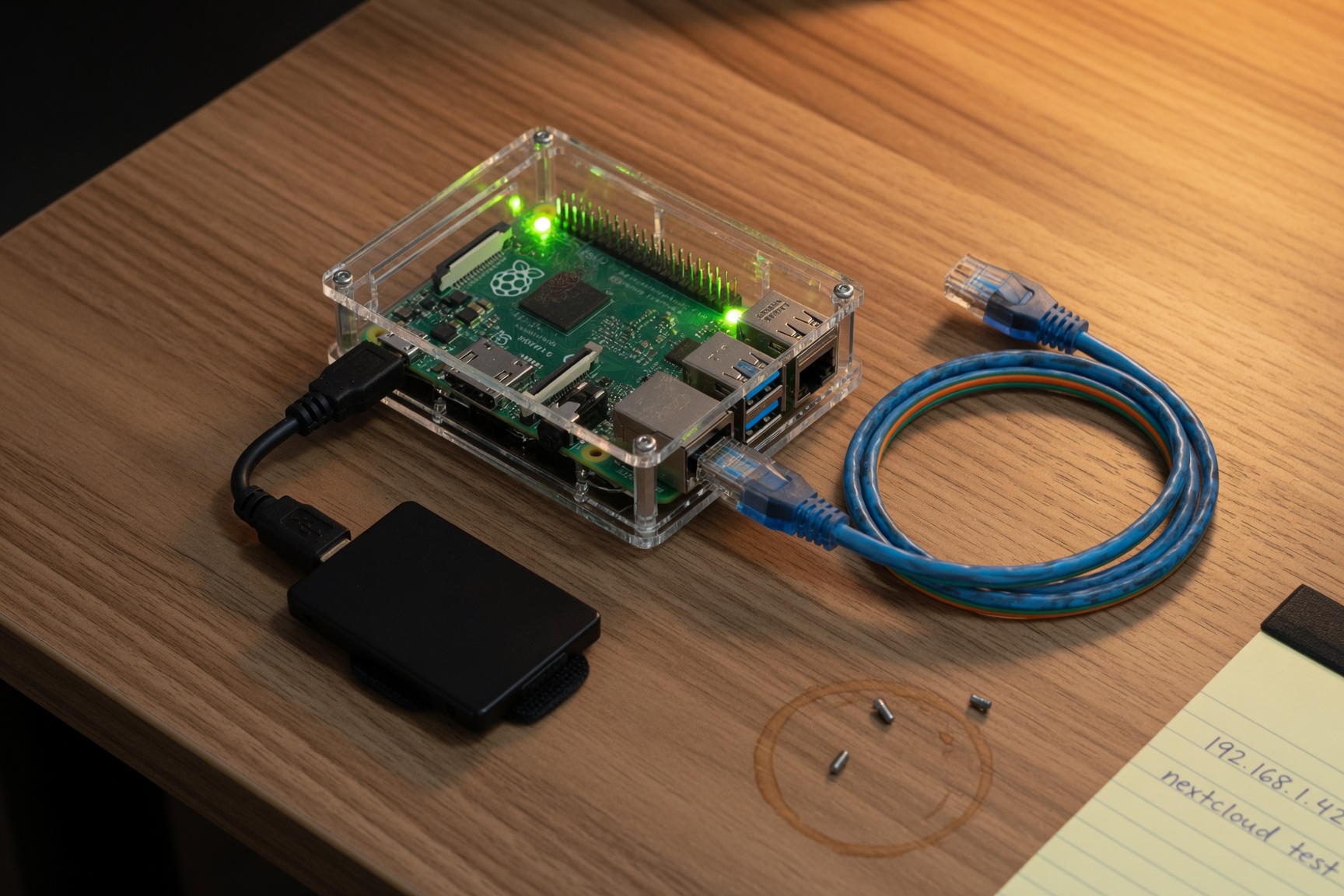
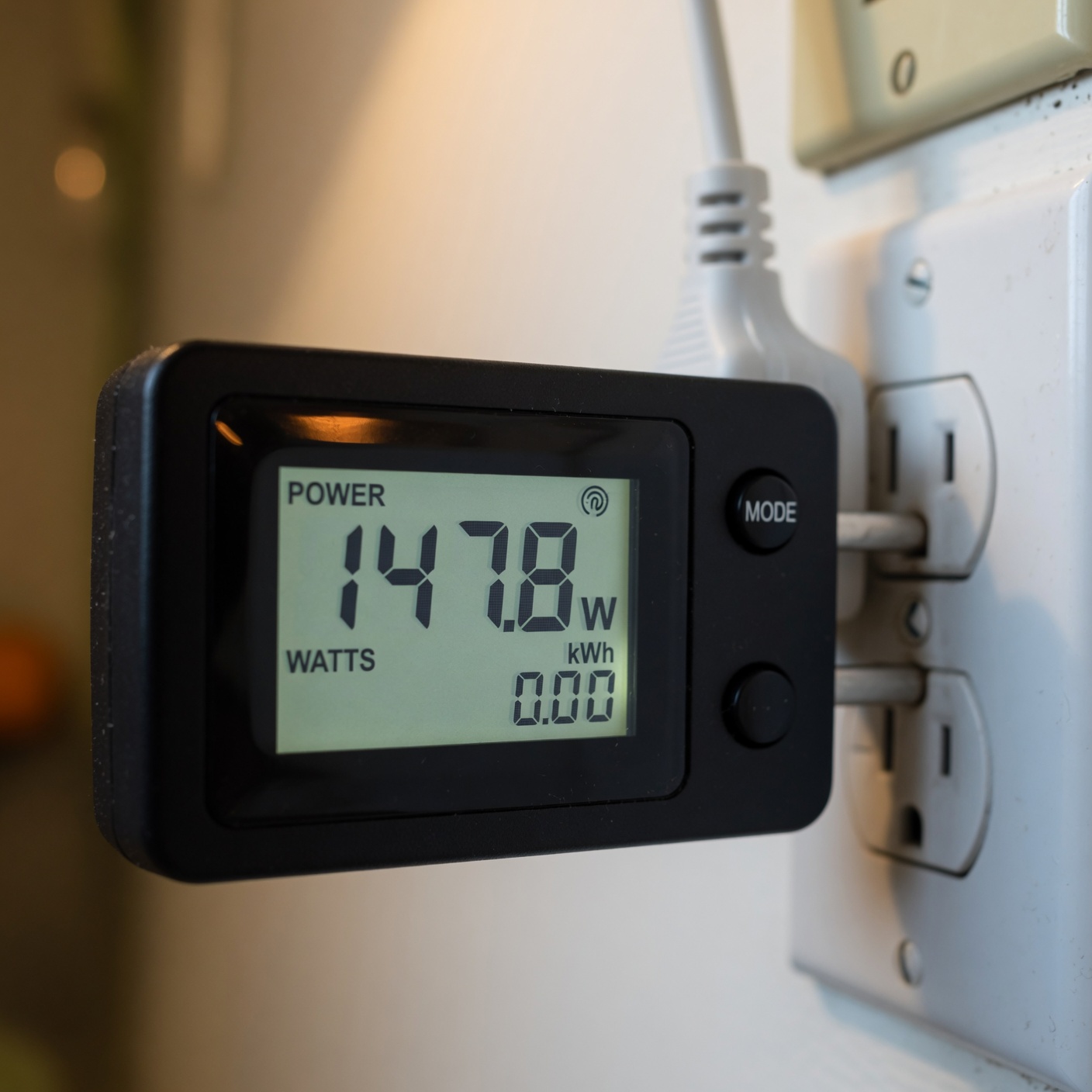
The Raspberry Pi 5 is the most-recommended entry point for a home Bitcoin node. It is small, quiet, efficient (~6W power draw), and capable enough to run Bitcoin Core at full validation speed for residential use.
Minimum spec:
- Raspberry Pi 5 (8GB RAM variant)
- 2TB USB-C SSD (Samsung T7 or T9, WD My Passport, Crucial X6)
- Official Raspberry Pi 27W USB-C power supply
- Case with cooling fan (heat management is important for 24/7 operation)
- 32–64GB high-endurance microSD (for operating system)
Shopping list (Amazon):
- Raspberry Pi 5 8GB — Get the 8GB variant for comfortable node operation
- 2TB Samsung T7 SSD — Fast, reliable, bus-powered via USB-C
- Official Raspberry Pi 5 power supply — Must be 27W for full performance
- Argon Neo 5 case with fan — Aluminum case with passive + active cooling
- High-endurance microSD 64GB — For the OS, not the blockchain
Estimated total cost: ~$200–260 one-time + electricity (~$5/month)
Setup approach:
Raspberry Pi nodes run best using one of the dedicated node packages (see Software section below) or via Docker (see Docker guide below). The Docker approach gives the most control.
Option 2: Mini PC — Best Value Performance
Intel-based mini PCs (N100/N200/N305 chips) offer dramatically faster sync times than Raspberry Pi at 2–3x the cost. They run full-speed Bitcoin Core in Docker with no throttling.
Recommended:
- Intel N100 mini PC 16GB RAM — Beelink EQ12, Minisforum UM350, or similar
- 2TB NVMe SSD — Faster sync than USB SSDs; many mini PCs have M.2 slots
- Total: ~$200–350 depending on RAM/storage config
These devices draw 10–20W typical and are completely silent. They run any Linux distribution (Ubuntu Server 22.04/24.04 recommended) and handle Docker natively.
Option 3: Repurpose Old Hardware
Any old laptop or desktop with 8GB+ RAM and a 2TB+ hard drive can run a Bitcoin node. SSD is strongly preferred over HDD — Bitcoin Core's blockchain access patterns are random-read-heavy, and HDD sync can take 3–6 weeks vs. 12–24 hours on SSD.
Requirements:
- 64-bit Intel/AMD CPU (2015 or newer recommended)
- 8GB RAM minimum (16GB+ preferred)
- 2TB SSD (or upgrade your existing drive)
- Ubuntu Server 22.04/24.04 or Debian 12
- 2TB SATA SSD — Upgrade any old laptop or desktop to SSD
- USB-to-SATA adapter — If adding external storage
Option 4: Docker on NAS (Synology, QNAP, Unraid, TrueNAS)
Running Bitcoin Core in a Docker container on a NAS is an excellent setup for homelab users. A NAS device runs 24/7, provides reliable storage, and supports Docker natively. The node shares resources with your other containers and requires no dedicated hardware.
Requirements:
- NAS running Docker or Docker Compose (Synology DSM 7+, QNAP Container Station, Unraid, TrueNAS Scale)
- 8GB+ RAM in the NAS (16GB+ strongly recommended — Bitcoin Core's
dbcachebenefit is significant) - 2TB+ storage volume dedicated to the blockchain
- NAS connected via wired Ethernet (not WiFi)
Dedicate a separate volume or folder for the Bitcoin blockchain. It will grow to 600GB+ and continues growing ~50GB/year. Do not place it on your primary NAS volume alongside media or backups. Use a dedicated drive or volume.
Docker Compose for Bitcoin Core (NAS / Home Server)
Create a directory for your node (e.g., /volume1/docker/bitcoin/ on Synology or /mnt/user/appdata/bitcoin/ on Unraid) and create a docker-compose.yml file:
version: '3.8'

services:
  bitcoind:
    image: lncm/bitcoind:v26.0  # ARM64 + AMD64 multi-arch
    container_name: bitcoind
    restart: unless-stopped
    volumes:
      - ./bitcoin-data:/data/.bitcoin
    ports:
      - "8333:8333"   # P2P — required for full node participation
      # Uncomment below ONLY for local LAN access to the RPC API:
      # - "127.0.0.1:8332:8332"
    environment:
      - BITCOIN_DATA=/data/.bitcoin
    command: >
      -server=1
      -daemon=0
      -rpcbind=0.0.0.0
      -rpcallowip=127.0.0.1
      -rpcallowip=172.16.0.0/12
      -rpcallowip=192.168.0.0/16
      -rpcallowip=10.0.0.0/8
      -rpcuser=bitcoinrpc
      -rpcauth=SET_USING_RPCAUTH_SCRIPT_OUTPUT
      -dbcache=4096
      -maxmempool=300
      -par=4
      -prune=0
      -txindex=0
      -listen=1
      -upnp=0
      -maxconnections=40
      -logips=0
      -dns=1
      -dnsseed=1
Configuration parameters explained:
| Parameter | Value | Why |
|---|---|---|
dbcache=4096 | 4GB RAM cache | Dramatically speeds up initial block download. Set to 75% of available RAM. |
maxmempool=300 | 300MB mempool | Standard mempool size. Reduce to 100 if RAM-constrained. |
par=4 | 4 CPU threads | Script validation threads. Match to your CPU core count. |
prune=0 | Disabled | Keeps full blockchain history. Set to 550 (MB) to prune instead. |
txindex=0 | Disabled | Enable only if you need full transaction lookup by TXID. |
listen=1 | Enabled | Accepts inbound connections. Required to be a full peer. |
maxconnections=40 | 40 peers | Standard. Reduce to 10–15 on low-bandwidth connections. |
logips=0 | Disabled | Privacy — does not log peer IP addresses. |
Generating a secure RPC password:
Never use a simple password for the RPC interface. The Bitcoin Core repo provides an rpcauth.py script that generates a salted hash for safer authentication:
# Download and run (requires Python 3):
curl -O https://raw.githubusercontent.com/bitcoin/bitcoin/master/share/rpcauth/rpcauth.py
python3 rpcauth.py bitcoinrpc
This outputs an rpcauth= line you can use instead of the plain user/auth combination. Replace the command arguments with:
-rpcauth=bitcoinrpc:SALT_AND_HASH_FROM_SCRIPTStarting the node:
cd /path/to/your/bitcoin-compose-directory
docker compose up -d
docker logs -f bitcoind
During initial sync, you will see blocks downloading. The node is ready when logs show progress=1.000000.
Checking sync status:
docker exec bitcoind bitcoin-cli -rpcuser=bitcoinrpc getblockchaininfoLook for "verificationprogress" approaching 1.0.
Option 5: Docker on a Remote VPS / Dedicated Server
Running a node on a rented VPS gives you a 24/7 always-on node without home hardware or power costs. This is practical for users who want their node accessible from anywhere.
Minimum server spec:
- 2 vCPUs (4+ preferred)
- 8GB RAM (16GB+ for faster sync)
- 1TB+ storage — NVMe preferred. Many VPS providers offer 2TB NVMe from $20–40/month.
- Reliable providers: Hetzner (Germany/US), Contabo, DigitalOcean, Vultr, OVHcloud
Providers with suitable specs:
- Hetzner AX41-NVMe — ~€39/month, 64GB RAM, 2×512GB NVMe (not Amazon, but best value dedicated)
- DigitalOcean — $48/month for 8GB/160GB NVMe (storage upgrade needed)
- Vultr — $24/month for 4GB/100GB NVMe (add block storage)
Setup on Ubuntu Server 22.04/24.04:
# Install Docker
curl -fsSL https://get.docker.com | sh

# Create bitcoin node directory
mkdir -p /opt/bitcoin && cd /opt/bitcoin

# Create bitcoin-data directory with correct permissions
mkdir -p bitcoin-data
chown 1000:1000 bitcoin-data

# Create your docker-compose.yml (same as NAS config above)
nano docker-compose.yml

# Start the node
docker compose up -d

# Follow logs
docker compose logs -f
Firewall configuration (ufw):
ufw allow 22/tcp      # SSH (keep this!)
ufw allow 8333/tcp    # Bitcoin P2P
ufw deny 8332/tcp     # Block RPC from internet (critical)
ufw enable
Never expose port 8332 (RPC) to the internet. It should only be accessible from localhost (127.0.0.1). Use rpcallowip to restrict access to LAN subnets only.
Node Software Comparison
Beyond raw Bitcoin Core via Docker, several packaged node solutions wrap Bitcoin Core with a web UI and additional services (Lightning, Electrum server, mempool explorer):
| Software | Interface | Lightning | Electrum | Best For |
|---|---|---|---|---|
| Bitcoin Core (raw) | CLI only | No | No | Maximum control, minimum overhead |
| Umbrel | Web UI | Yes (LND) | Yes | Easy setup, all-in-one |
| RaspiBlitz | Terminal UI | Yes (LND/CLN) | Yes | Raspberry Pi specialists |
| myNode | Web UI | Yes | Yes | Simplest plug-and-play |
| Start9 | Web UI | Yes | Yes | Privacy-focused, curated apps |
For users who just want a validating full node without additional services, raw Bitcoin Core via Docker is the cleanest and most transparent option. For users who want a Lightning node, channel management, and Electrum server (to connect hardware wallets directly), Umbrel or Start9 are excellent choices.
- Umbrel on NAS (Synology compatible) — free, installs via docker
- RaspiBlitz for Raspberry Pi — open source, terminal-based
- Start9 OS — privacy-focused node software
Storage Guide
The Bitcoin blockchain is approximately 600–650GB as of mid-2026 and grows at roughly 50GB/year. Plan accordingly:
| Storage | Blockchain Capacity | Recommendation |
|---|---|---|
| 1TB SSD | ~7 years headroom | Minimum; consider 2TB |
| 2TB SSD | ~27 years headroom | Recommended |
| 4TB SSD or HDD | Decades | Future-proof |
SSD vs HDD: Bitcoin Core performs intensive random-read operations during validation. HDD can take 3–8 weeks for initial sync vs. 12–48 hours on NVMe SSD. Always use SSD.
Recommended storage:
- Samsung T9 2TB USB-C SSD — Excellent for Raspberry Pi or NAS external attachment
- Samsung 990 Pro 2TB NVMe — Best for mini PC internal slot
- Crucial MX500 2TB SATA SSD — For old desktops or NAS bays
Network and Security Notes
What to open in your firewall/router:
- Port 8333/TCP — Bitcoin P2P. Open this for inbound connections. Your node becomes a full peer that the network can connect to.
- Port 8332/TCP — Bitcoin RPC. Never open this to the internet. LAN access only if needed.
Port 8333 inbound connections:
If port 8333 is open and your node is accessible, it will accept up to maxconnections peers. This makes you a "listening node" — the most valuable kind for network health. You can check if your node is reachable at bitnodes.io.
Privacy:
Your node reveals your IP to peers you connect to. For stronger privacy, Bitcoin Core supports connecting through Tor:
# Add to your docker-compose.yml command:
-proxy=your-tor-proxy-host:9050
-onlynet=onion
Full Tor integration is beyond the scope of this guide but is documented in the Bitcoin Core documentation.
Further Reading
Andreas Antonopoulos — Chapters on full nodes, the P2P network, mempool, and transaction validation. The definitive technical reference for understanding what your node is actually doing.
Amazon →Jimmy Song — Build Bitcoin from cryptographic primitives. Covers elliptic curve math, transaction parsing, script validation, and block structure. Best for developers.
Amazon →Complete kits for Raspberry Pi 5 including case, power supply, and accessories. Get the 8GB variant for node use.
Amazon →Samsung T7/T9 or WD My Passport SSD — USB-C bus-powered, reliable, compact. The standard Bitcoin node storage recommendation.
Amazon →Yan Pritzker — 100 pages explaining how Bitcoin works from first principles. The mining and node chapters are the clearest non-technical explanation of proof-of-work available.
Amazon →Beelink EQ12, Minisforum UM350, or similar N100/N200 mini PC — fast sync, fanless, 10–15W power draw. Best value performance for a home node.
Amazon →→ Mining and Node Gear Roundup → | Hardware Wallets → | Bitcoin Security →
Contains Amazon affiliate links — we earn commissions on qualifying purchases at no extra cost to you. Not affiliated with Donald Trump, any campaign, or any government office. Full disclosure →